01
Be found by nearby customers
Customers can discover providers by service and area, compare profiles, and send a request when they are ready.
Run quotes, jobs, crews, customer updates, and Square payments in one workflow—on the web and in the FieldWorks app.
No credit card required to create an account • No monthly subscription
Business sign-up is open now, and FieldWorks for iPhone is available on the U.S. App Store.
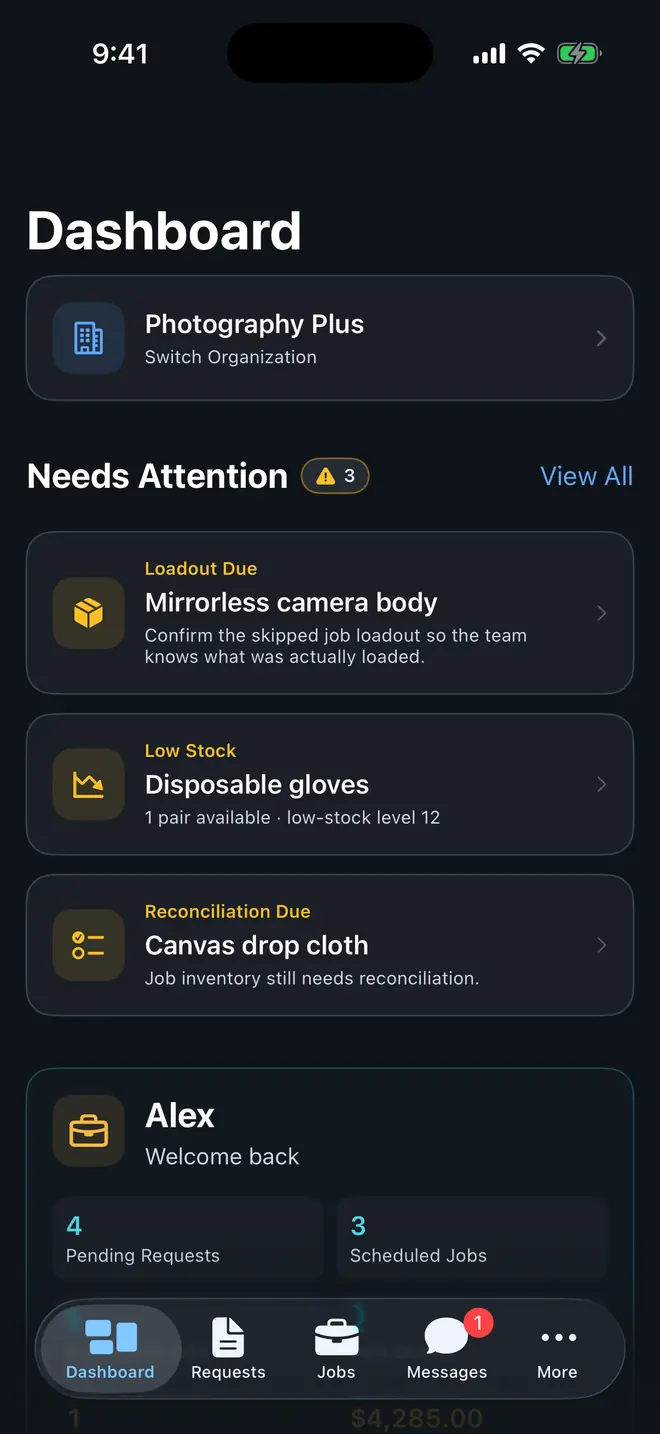
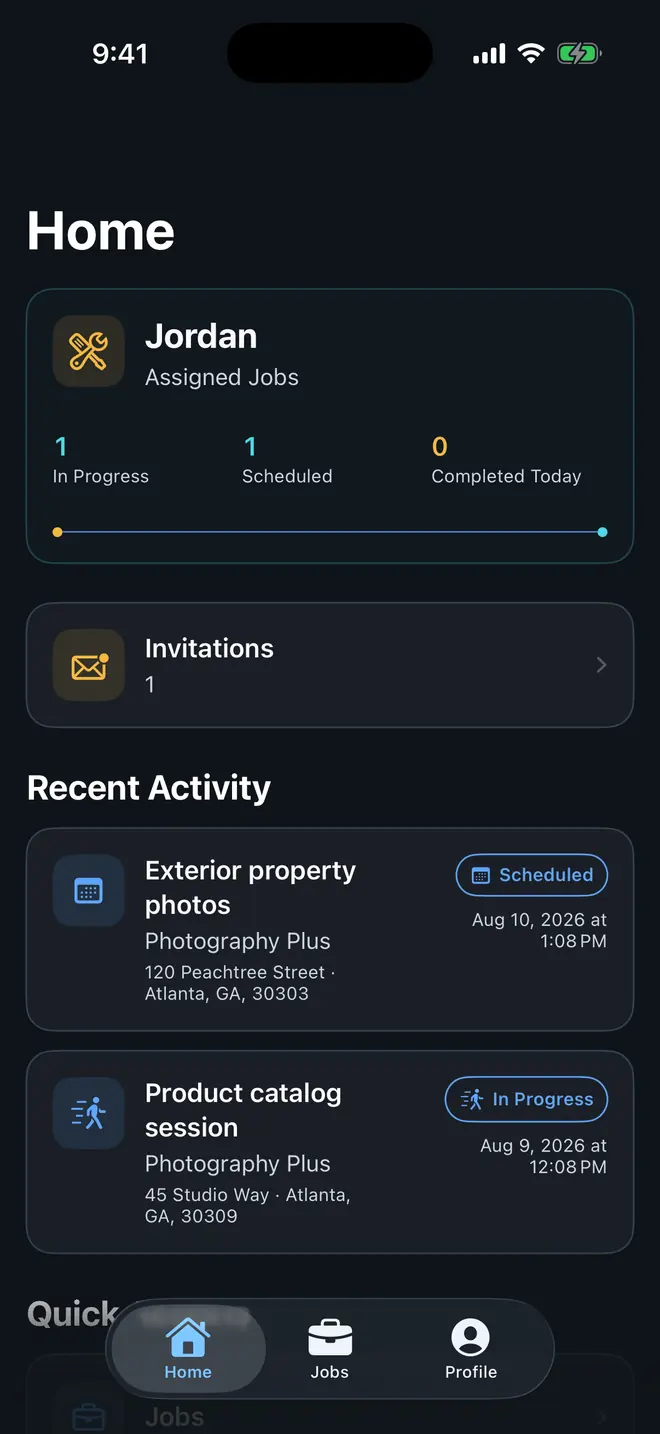
Be found in FieldWorks, turn offline interest into a service request with QR and App Clip entry, or close an existing conversation with an iMessage quote.
Customers can discover providers by service and area, compare profiles, and send a request when they are ready.
Create a branded business card and QR code that opens your profile or App Clip, where a customer can choose services and send a request—no app install required on supported iPhones.
Send a FieldWorks quote from Messages. Customers can review it, request changes, accept it, and pay through Square when needed.
Customer context stays connected as office and field teams move the same work through quote, schedule, completion, and payment.
REQUEST → QUOTE → SCHEDULE → JOB → PAYMENT
See requested services, property details, customer notes, and photos before you decide what comes next.
Set pricing, schedule details, and any deposit or upfront-payment policy, then send the quote for review.
Assign the crew, update status, and keep photos, notes, and inventory activity attached to the work.
Customers pay through Square. FieldWorks updates the status after Square confirms payment.
One operational view keeps the office aligned while crews move work forward in the field.
The office gets the planning and customer context it needs. Field crews get a focused mobile experience for the work in front of them.
Plan, communicate, and check payments from the web dashboard.
See the next job and update it from the FieldWorks app.
Your profile gives customers a place to see services, ratings, past work, and request a quote without you building a website first.
Your first $5,000 in eligible online payments has no FieldWorks fee. After that, approved founding businesses get the full 2.5% founding period before moving to 5%; other businesses move directly to 5%. Project and monthly caps may lower either fee. Square fees are separate.
5% FieldWorks fee
5% of eligible online payment volume, capped at $500 per project and $1,000 per month.
2.5% founding pricing
An approved founding period lowers the fee to 2.5%, capped at $250 per project and $500 per month.
Online payments require an eligible, connected Square seller account and are subject to Square availability, verification, and terms.
Create your business profile now, then use FieldWorks on iPhone to keep your team, requests, quotes, and jobs connected.
No credit card required to create an account • No monthly subscription