Find local service. Keep the whole job connected.
Browse providers who serve your property, compare their work, request a quote, and keep messages, job updates, and payment status together.
For iPhone · U.S. App Store
The connected customer workflow
- 01Service location
- 02Provider
- 03Request
- 04Quote
- 05Job
Discover
Start with who serves your property
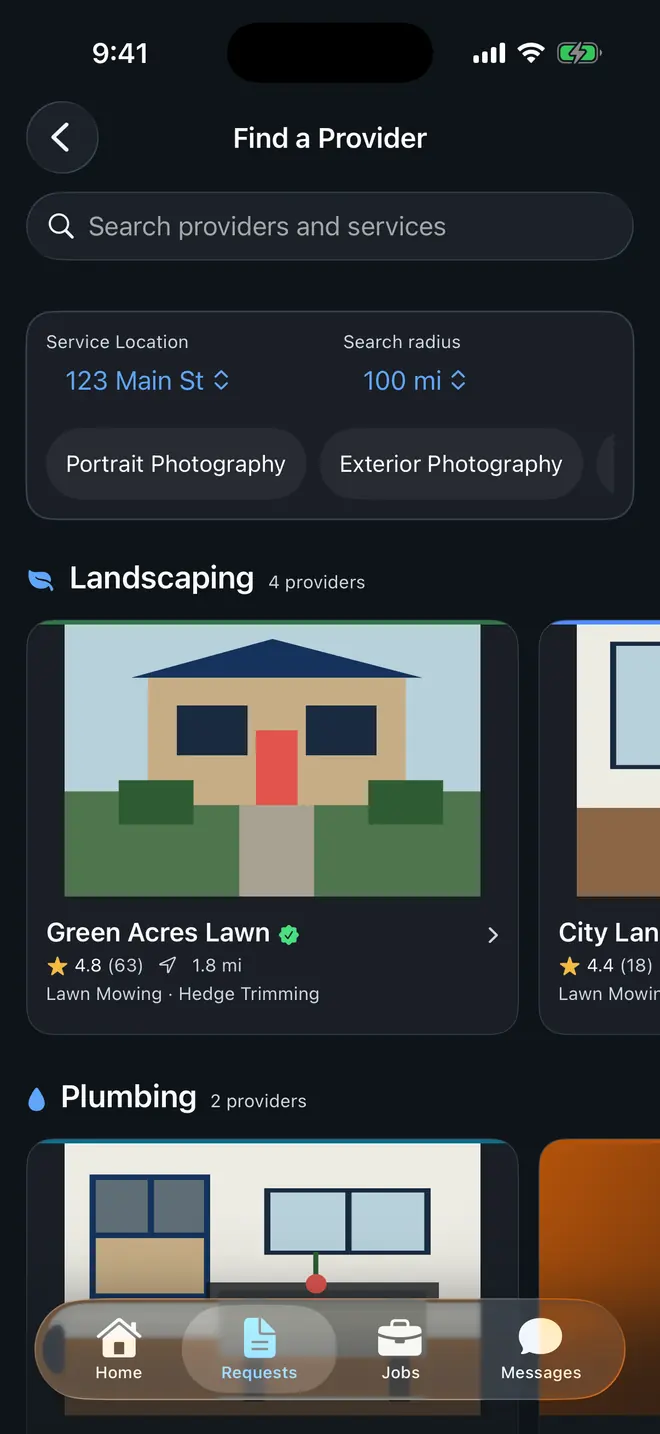
Browse providers by industry, search by business or service, adjust the radius, and open a profile before requesting work.
- Browse by industry
- Start from the kind of work you need and scan nearby provider sections.
- Search businesses or services
- Narrow the list without losing the service-location context.
- Adjust the service radius
- See providers whose configured coverage reaches the selected property.
Compare
See the business before you send the request
Review services, gallery work, ratings, service area, and a verification badge when the business qualifies.
Provider profile
Proof stays attached to the decision
- 01
Service area
Confirm that the provider covers the property attached to your request.
- 02
Services and gallery work
Compare what the business offers with examples it chose to publish.
- 03
Ratings and qualified verification
Review customer ratings and a verification badge only when the business meets the current requirements.
Verification is conditional. A badge appears only for businesses that meet FieldWorks' current verification requirements.
Request
Send details built for an accurate quote
Keep the chosen provider and property attached, select services and add-ons, add preferred dates and up to five photos, then review before submitting.
Request checklist
Draft- 01
Provider and property
The request keeps the business and service location you already selected.
- 02
Services and add-ons
Choose from the provider's current catalog instead of starting with a blank message.
- 03
Preferred dates
Share scheduling preferences for the provider to consider in the quote.
- 04
Up to five photos
Add visual context before the provider prices the work.
Review the full request before it is submitted to the provider.
Decide and follow through
Keep the decision and the job connected
Review quote terms, make a decision, message the provider, and follow the scheduled job without rebuilding the context elsewhere.
- 01 / 03
Quote
Make the decision with the terms in view
Accept, reject, or request changes after reviewing the provider's quote.
- 02 / 03
Job
Keep messages and status with the work
Follow the scheduled job and keep updates and messages together.
- 03 / 03
Payment
Pay through the provider's secure checkout
When online payment is available and due, pay securely through Square. FieldWorks marks it complete only after Square confirms it.
My Services
Keep the people you hire in one place
Save anyone you already hire, whether they're on FieldWorks or not. When you need them again, the number, the card, and the last visit you saved are right there in the FieldWorks app.
Everyone you hire, together
Cleaners, lawn care, repairs, your mechanic. Save them even if they're not on FieldWorks.
The card and the last visit
Keep a photo of the front and back of their business card, plus what was done, when, and your notes.
Reach them again in a few taps
Call, text, or email using the details you saved, or open a FieldWorks business's profile to send a new request.
Your list is private, and businesses can't see it. If someone you saved is on FieldWorks, you can link them to their FieldWorks business and unlink anytime.
Optional quick start
Have a provider's App Clip code?
Scan it to start a focused request without installing first. Download the full app to manage quotes, messages, jobs, and payment.
Learn how the App Clip works
Ready to request local service?
Download FieldWorks for iPhone and start with providers who serve your property.